
Medical Computer Cart Buying Guide 2026: Battery, Ergonomics & Infection Control
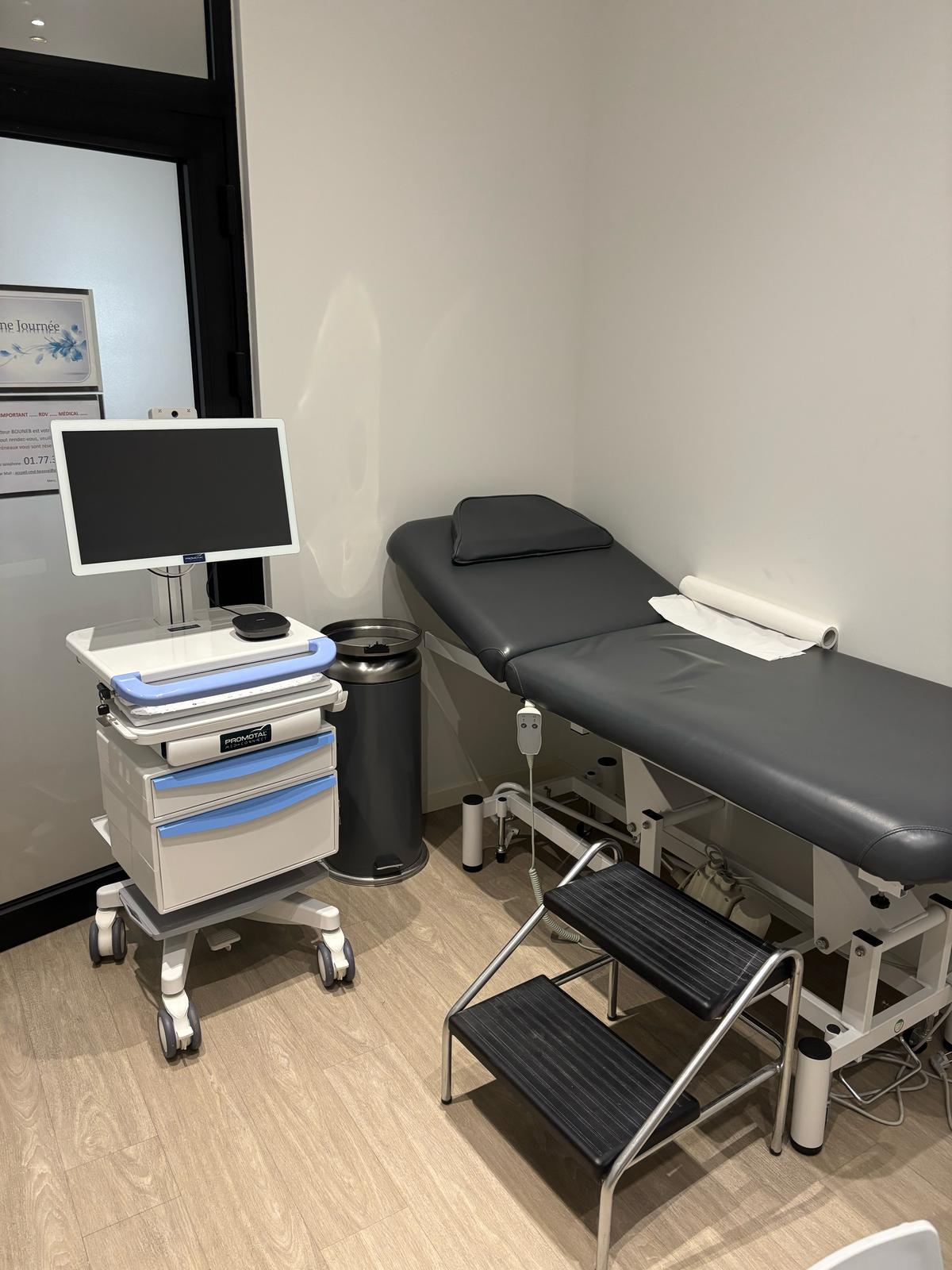
A medical computer cart is a mobile workstation that brings a computer, display, and digital accessories to the point of care. The right cart starts with the workflow: time between charges, height adjustment, cleaning, stability, payload, and the equipment it must carry. A cart can be excellent for EHR documentation yet unsuitable for a full battery-powered shift or a clinical telehealth encounter. This guide gives buyers a practical comparison method while keeping a general computer-on-wheels distinct from a telemedicine cart with connected diagnostic devices.
What is a medical computer cart?
It is a wheeled clinical workstation that supports a laptop, all-in-one PC, monitor, or tablet so staff can access the patient record, document care, and work at the bedside. The medical cart range includes fixed-height, manually adjustable, and electrically adjustable models, with or without integrated battery power.
A computer cart becomes a telemedicine cart when the configuration adds remote-consultation software, audiovisual equipment, and the required clinical devices — such as an ECG, digital stethoscope, or vital-signs monitor. Put that distinction in the specification from the start because it changes the budget, power, storage, and software-integration requirements.
The six criteria that should decide the purchase
| Criterion | Question to answer | Evidence to request |
|---|---|---|
| Power | How long must the cart work away from an outlet? | Battery capacity, runtime with your computer, and charging procedure |
| Ergonomics | Will several users alternate between sitting and standing? | Height range, adjustment effort, and a user trial |
| Infection control | Which surfaces and accessories must be cleaned between patients? | Manufacturer instructions, materials, and hard-to-reach areas |
| Mobility | Does the route include thresholds, elevators, narrow corridors, or uneven floors? | Dimensions, casters, brakes, turning circle, and a loaded trial |
| Payload | Which PC, display, power unit, drawers, and devices will it carry? | Total payload rating and mount compatibility |
| Expandability | Could the cart later add a camera or connected medical devices? | Cable routing, ports, power, and mounting options |
Battery: size the real workload, not just the watt-hours
Watt-hour capacity is useful, but it does not predict runtime on its own. An all-in-one PC, second display, and peripherals draw more power than a tablet. Ask for a test with the final configuration, including peak demand, battery aging, idle periods, and the available charging window between rounds.
The Hecart, for example, has a built-in 1000 Wh battery and antimicrobial worktop. That is a concrete reference point for powered mobile workflows, not a promise of identical runtime in every configuration. If the cart stays near an outlet or carries only a tablet, a model without an integrated battery may be lighter and simpler to maintain.
Ergonomics: fit the workstation to users and care tasks
The correct height depends on the user, the bed, the task, and the hardware. When a team shares a cart, a broad adjustment range reduces compromise. The Movelec provides electric adjustment from 889 to 1219 mm, independent screen adjustment, and a lockable PC compartment. The Movelec Light covers 800 to 1100 mm with an antimicrobial worktop and drawers. Those differences show why buyers should evaluate the whole activity — moving, typing, viewing, and storing — rather than one maximum-height number.
Run a trial with the people who will actually push the cart. Check screen visibility, wrist position, drawer access, starting force, threshold crossing, and stability with the display at its highest setting.
Infection control: verify the complete cleaning workflow
An antimicrobial worktop does not replace cleaning. The cart must enable the facility's protocol through accessible surfaces, limited dirt traps, controlled cabling, and documented compatibility with the products used on site. Ask which parts can be cleaned, how electrical components must be protected, and which products or contact times the manufacturer permits.
Include accessories in the assessment. The keyboard, mouse, handles, scanner, mounts, and drawers may be touched more often than the worktop. Have the infection-prevention team review the final configuration before ordering, especially when carts move between clinical zones.
Which configuration fits which workflow?
- Bedside EHR and medication workflow: prioritize a compact footprint, organized cabling, and height adjustment suited to the users.
- Long mobile rounds: size the battery with the actual PC and peripherals, then define the charging cycle.
- Shared workstation across departments: look for a broad height range, quick adjustment, accessible brakes, and secure storage.
- Clinical teleconsultation: add camera, audio, software, and diagnostic devices; at that point compare a complete telehealth cart rather than a computer cart alone.
If mobility extends beyond hospital corridors, also compare a telehealth kit, cart, and backpack. The right form factor depends less on accessory count than on the team's daily route to the patient.
How to build a comparable request for quotation
- Describe three real scenarios: route, duration, user, task, and cleaning frequency.
- List every component with its weight, power draw, dimensions, and connections.
- Set pass/fail requirements for payload, height range, runtime, width, or lockable storage.
- Request a demonstration with the final load and test it in the intended corridors.
- Compare total cost: cart, battery, mounts, installation, wear parts, service, and future expansion.
Price therefore depends on the frame, adjustment system, power, computer mount, drawers, accessories, and quantity. A lower purchase price can cost more later if it needs a special mount, extra battery, or unplanned adaptation. The fairest comparison is a quote based on the same bill of materials from every supplier.
Frequently asked questions
What is the difference between a medical computer cart and a telemedicine cart? A medical computer cart primarily carries the computer and accessories used for digital clinical work. A telemedicine cart adds a remote-consultation platform, audiovisual equipment, and connected diagnostic devices so a clinician can examine a patient remotely.
Does a 1000 Wh battery guarantee a full shift of runtime? No. Runtime depends on the PC, displays and accessories, usage pattern, battery condition, and charging cycle. Ask for a measurement with the final configuration.
Should I choose electric or manual height adjustment? Electric adjustment is useful when staff change height frequently or share the workstation. Manual adjustment can suit infrequent changes, lower-weight requirements, or workflows that do not need onboard power.
Is an antimicrobial worktop enough for infection control? No. It may contribute to material selection, but it does not replace cleaning and disinfection under the facility's protocol. Assess every surface and accessory that users touch.
How do I get a price for a medical computer cart? Define the exact computer or display, battery, height range, drawers, mounts, accessories, and quantity, then request quotes using the same bill of materials so total cost is comparable.
To turn these criteria into a configuration, browse the Promotal MedConnect medical cart range. If the project includes a remote clinician and connected examinations, explore the telemedicine cart and compatible telehealth equipment instead.
Ready to discover MedConnect?
Request a personalized demo and see how the platform adapts to your practice.
Request a demo