How to Deploy a Telehealth Program in a Nursing Home in 2026: A Step-by-Step Guide
Nursing homes face a clinical problem that a video call cannot solve. Residents need regular specialist access, but most facilities run one or two nurses per shift, have no in-house physician after hours, and rely on a stack of disconnected tools that slow every consultation down.
The result: delayed diagnoses, avoidable hospitalizations, and documentation written at midnight.
Deploying telehealth in a nursing home is not complicated — when you treat it as a clinical operations project rather than an IT one. This guide walks through each step, from assessing your facility's needs to going live with a compliant, device-integrated program.
Step 1: Define the Clinical Use Cases Before Buying Anything
The most common mistake in nursing home telehealth deployments is purchasing equipment before identifying the clinical problems you are actually trying to solve.
Start with three questions:
- Which specialist consultations are residents waiting more than 14 days for? Cardiology, dermatology, and psychiatry are the most common bottlenecks in long-term care.
- How many unplanned hospitalizations per month could a remote physician review have prevented?
- Which nursing tasks currently require a doctor to be physically present?
Document the answers. They determine your device requirements, your consultation volume, and your staffing model. A facility with high cardiac risk residents needs 12-lead ECG integration. A facility managing wound care needs a dermatoscope. Define the use cases first, then match the hardware to them.
Step 2: Assess Your Infrastructure
Three infrastructure elements determine whether telehealth works in a nursing home: network, physical space, and staff capacity.
Network
You need a stable, dedicated connection capable of supporting video consultation and simultaneous device data streaming. A practical baseline is 10 Mbps symmetrical per consultation room. Check whether your current Wi-Fi covers the rooms you plan to use. For fixed consultation stations, a wired connection is more reliable.
Physical Space
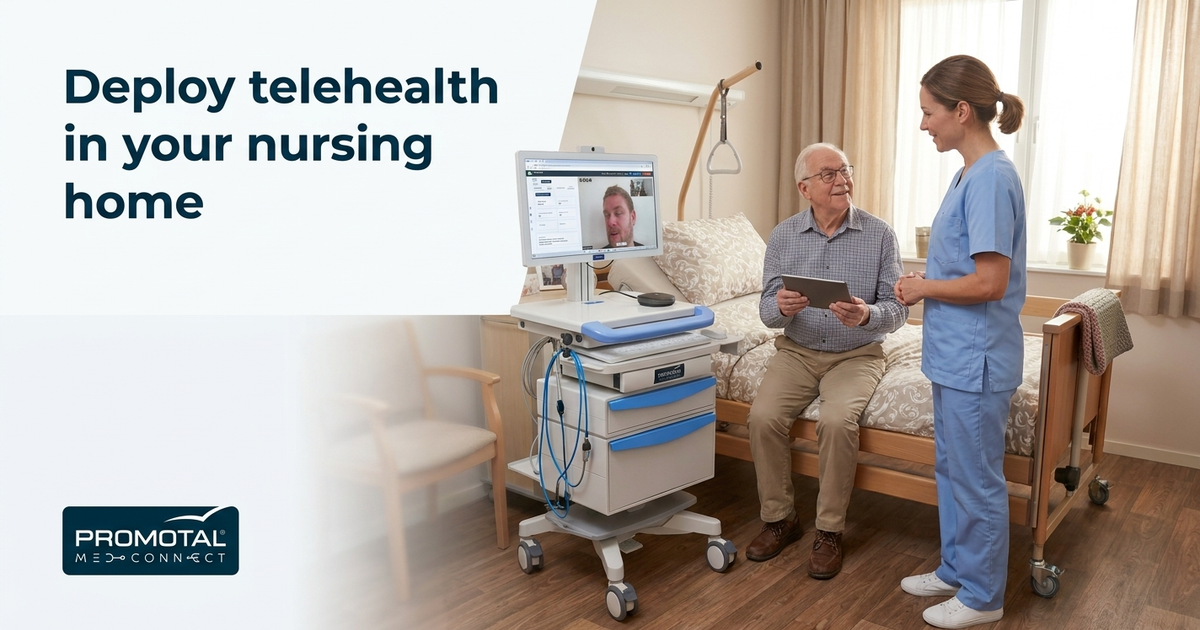
Decide where consultations will happen. A fixed room with a telehealth cart is the most efficient setup for structured daily use. If your facility spans multiple wings or floors, a mobile cart or compact medical kit lets you bring the consultation to the resident rather than moving a frail patient across the building.
Staff Capacity
Telehealth does not replace nurses — it depends on them. Your nurses will set up the equipment, position devices, and assist the remote physician throughout the examination. Assess how many nurses per shift can realistically support teleconsultations, then build your scheduling model around that number.
Step 3: Choose a Platform That Matches the Clinical Reality of Long-Term Care
A video call platform is not a telehealth platform. In a nursing home, the remote physician needs to hear the resident's heart sounds, see the ECG trace, and read current vitals — during the consultation, not in a report sent afterward.
The platform you choose must integrate medical devices directly into the consultation workflow. When a nurse connects a digital stethoscope, the remote doctor hears live audio. When the ECG runs, the data uploads to the patient file automatically. No manual entry. No switching applications mid-session.
Promotal MedConnect is built for exactly this clinical environment. The 12-lead ECG uploads to the patient record in 5 seconds. Vitals display simultaneously on both screens. The AI medical scribe transcribes the consultation in real time and generates a SOAP note in French, English, Arabic, or Italian before the session ends. Elara, the AI clinical assistant, handles scheduling and drug queries by voice so the nurse can stay focused on the resident.
For nursing homes managing multi-specialty needs, the tele-expertise module handles specialist referral within the same platform. No separate system, no second login.
Step 4: Select the Right Hardware Configuration
Three hardware form factors cover the range of nursing home deployment contexts.
Telehealth cart: the right choice for a fixed consultation room. It holds the full device set — ECG, digital stethoscope, vital signs monitor, otoscope — in a stable, organized station that nurses can wheel to the resident's bedside when needed.
Medical kit: a compact case for facilities without a dedicated consultation room, or for home visit extensions. All devices connect to the same platform as the cart.
Backpack: maximum mobility for field or multi-building deployments. Less common in nursing homes, but useful for facilities spread across a large campus.
Compatible devices include equipment from Welch Allyn, MIR, Schiller, Riester, Cardioline, and EDAN Instruments — all CE-certified for professional clinical use.
You can review the full hardware range at the telehealth equipment page.
Step 5: Address Compliance Before Go-Live
Nursing homes operate under strict data protection requirements. In the EU, patient data must be handled under GDPR. In France, HDS-grade hosting is a prerequisite for any platform storing health data. In the US, HIPAA compliance is non-negotiable.
Your platform needs to meet these requirements out of the box — not through add-ons or workarounds.
MedConnect is ISO 27001:2022 certified, GDPR compliant, and HIPAA-ready (US deployments configured under a BAA). Data is encrypted with TLS 1.3 and AES-256. Data center options are available in the US, EU, and Middle East, so patient data stays in the jurisdiction your compliance team requires. Full on-premise deployment is available for facilities with data sovereignty mandates.
Run your compliance checklist against the platform before signing any contract. Ask specifically about data residency, audit logs, and access controls.
Step 6: Train Your Nursing Staff
Staff training is the most underestimated step in any nursing home telehealth deployment. The technology is only as effective as the nurse operating it under time pressure at 10 PM.
Training should cover four areas:
- Device setup and connection: how to connect each device to the platform and confirm it is streaming correctly before the consultation starts
- Patient positioning: how to position residents for accurate ECG leads, stethoscope placement, and camera framing
- Platform navigation: scheduling, launching a consultation, accessing the patient record, and using the AI assistant
- Escalation protocol: what to do if the connection drops, a device fails, or the remote physician requests an in-person follow-up
Keep initial training sessions under two hours. Run a supervised live consultation within the first week. Most nurses reach independent operation after three to five real sessions.
Step 7: Build Your Remote Physician Model
Telehealth in a nursing home requires physicians who are available and trained to consult remotely using live device data. That is a different skill set from a standard video appointment.
You have three options:
- Internal physicians on a remote schedule: your existing medical staff consult from home or from another site during off-hours
- Contracted telehealth physicians: a third-party medical group provides coverage for defined hours
- Specialist network: a mix of GP coverage plus specialist access for cardiology, dermatology, psychiatry, and other high-demand disciplines
Whatever model you choose, define response time expectations clearly. A nursing home resident with chest pain needs a response in minutes, not hours.
Step 8: Set Up Your Billing and Documentation Workflow
Post-consultation documentation is where most telehealth programs lose time. If nurses or physicians are manually writing SOAP notes after every session, the program will not scale.
The AI medical scribe in MedConnect transcribes the consultation in real time and auto-generates the SOAP note before the session ends. The physician reviews, edits if needed, and signs. Documentation time drops from 15 to 20 minutes per consultation to under 5 minutes.
Billing integration within the same platform means consultation codes are captured automatically — no separate billing software, no end-of-day reconciliation. Reducing the number of systems staff must navigate is one of the most consistent ways to lower administrative burden across care settings, and it matters especially in nursing homes where staffing is already stretched.
Step 9: Run a Pilot Before Full Rollout
Do not deploy across all residents and all shifts on day one. Run a 30-day pilot with a defined subset of residents, a single consultation type — cardiology or general medicine works well — and two to three trained nurses.
During the pilot, track:
- Consultation completion rate (target: above 90%)
- Average time from device connection to SOAP note completion
- Nurse confidence score after week two
- Resident and family feedback
Use the pilot data to adjust your scheduling model, refine your training, and identify any infrastructure gaps before expanding.
Step 10: Measure Outcomes and Report Upward
A telehealth program that cannot demonstrate clinical and operational results will not survive the next budget cycle.
Track these metrics from month one:
- Number of teleconsultations completed per month
- Reduction in unplanned hospitalizations compared to the same period last year
- Specialist wait time before and after deployment
- Documentation time per consultation
- Staff satisfaction with the workflow
Report these numbers to your Medical Director, your board, and your regional health authority. In France, EHPAD Directors reporting to ARS-funded networks will need this data for compliance reporting under the 2026 to 2028 care pathway requirements.
What a Full Deployment Looks Like in Practice
MedConnect deploys in 2 to 4 weeks on cloud SaaS or fully on-premise. For a nursing home with a fixed consultation room, the typical path looks like this:
- Week 1: infrastructure assessment, platform configuration, data center selection
- Week 2: hardware delivery and setup, staff training
- Week 3: supervised pilot consultations
- Week 4: independent operation with support available
Over 50,000 exams have been completed on the platform across 4 continents, including active deployments in nursing home and primary care settings. The platform supports facilities from 5 to 50 care sites with 20 to 500 clinical staff.
For nursing homes in France, a EUR 350 per year government equipment subsidy is available for eligible facilities. Speak with your ARS or regional coordinator about eligibility before finalizing your budget.
Frequently Asked Questions
What medical devices do nursing homes need for telehealth? The minimum set is a 12-lead ECG, digital stethoscope, and vital signs monitor. Facilities with dermatology or ENT needs should add a dermatoscope and otoscope. All devices must integrate directly into the consultation platform so the remote physician receives live data during the session — not in a report sent afterward.
How long does it take to deploy telehealth in a nursing home? With a full-stack platform like MedConnect, deployment takes 2 to 4 weeks from contract to first live consultation. That includes infrastructure setup, platform configuration, hardware installation, and staff training. Facilities that try to assemble separate tools for video, devices, and documentation typically take 3 to 6 months and face ongoing integration problems.
What compliance certifications does a telehealth platform need for nursing homes? In the EU, GDPR compliance and HDS-grade hosting are required for platforms storing patient health data. In the US, HIPAA compliance is mandatory. ISO 27001:2022 certification confirms the platform's information security management system meets international standards. Ask any vendor for documentation on data residency, encryption standards, and audit log availability.
Can nurses operate telehealth equipment without physician supervision? Yes. Nurses connect devices, position patients, and run the examination under remote physician guidance. The physician directs the session via video and receives live device data on their screen. Most nurses reach independent operation after three to five supervised consultations.
How does AI documentation work in a nursing home teleconsultation? The AI medical scribe transcribes the consultation in real time. When the session ends, a SOAP note is auto-generated in the physician's chosen language — French, English, Arabic, or Italian. The physician reviews and signs. This eliminates post-visit manual documentation and meaningfully reduces per-consultation admin time.
What does telehealth cost for nursing homes? Costs vary by platform, hardware configuration, and deployment model. MedConnect combines SaaS subscription, hardware, and support under one contract. Pricing is not listed publicly — request a demo at promotal-medconnect.com for a configuration specific to your facility size and use case. In France, a EUR 350 per year government subsidy is available for eligible facilities.
What happens if the internet connection drops during a teleconsultation? A well-configured program includes a failover protocol: a backup connection such as a mobile 4G/5G hotspot, a defined escalation path for the nurse, and a reconnection procedure the physician can initiate from their end. Document this protocol in your staff training materials before go-live.
The Difference Between a Telehealth Program and a Video Call
A resident with suspected arrhythmia needs more than a video call. The remote physician needs the ECG trace, the auscultation audio, and the current vitals — all in real time, all on one screen.
That is what a real clinical consultation looks like. It is the standard your nursing home telehealth program should be built to meet.
Learn more about deploying a full clinical consultation environment at promotal-medconnect.com.
Ready to discover MedConnect?
Request a personalized demo and see how the platform adapts to your practice.
Request a demo